Mobile app01
Host
Dashboard, inbox, properties, tasks, review protection, team settings
Guests, hosts, and cleaners open the same app and land in the right mode. Start from an invite, scan a QR code, or switch roles when you need to.
Beta
Store links
3 modes
Host, guest, cleaner
QR
QR codes are generated locally by SuperNest
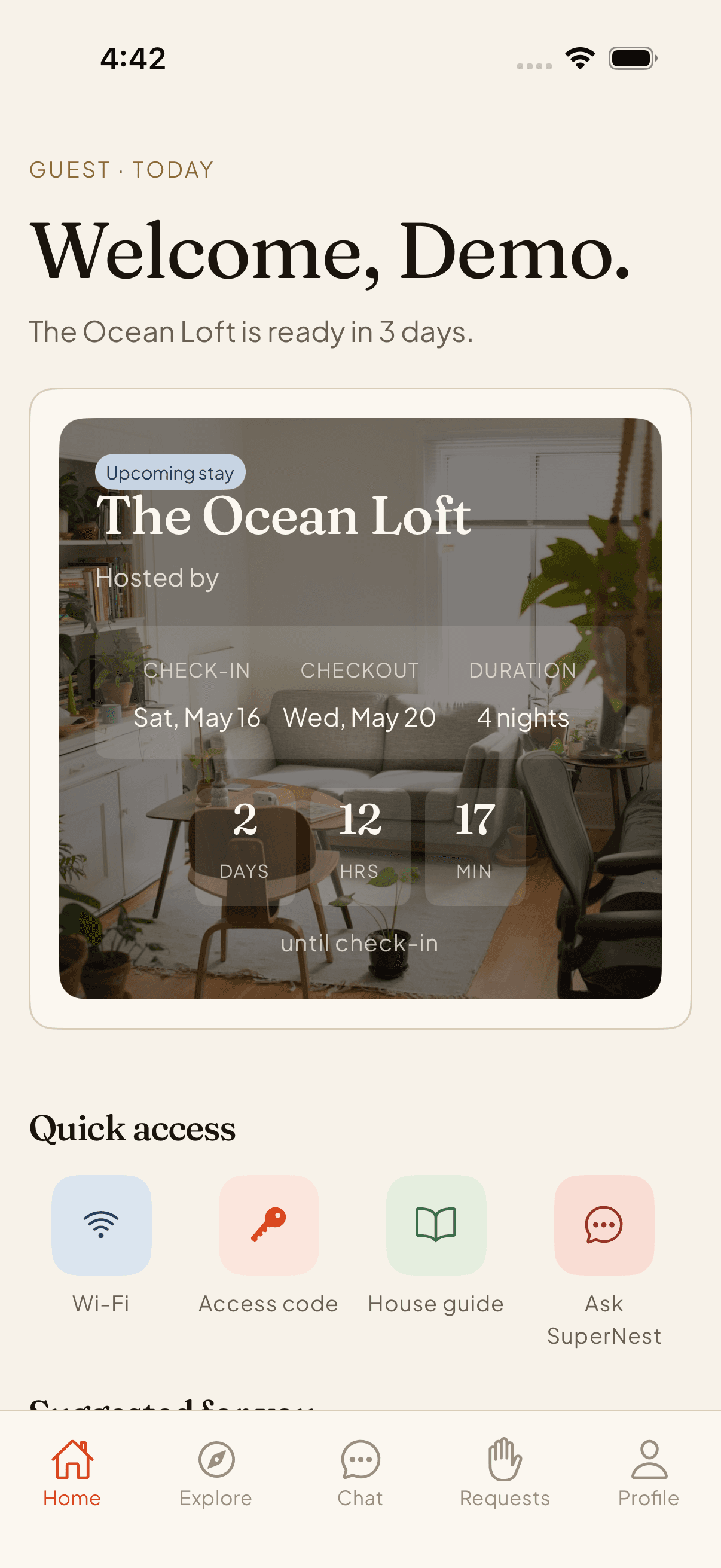
The same SuperNest app opens in the correct mode for each person attached to the stay.
Dashboard, inbox, properties, tasks, review protection, team settings
Stay hub, arrival guide, chat, requests, local discovery, checkout
Schedule, assigned tasks, checklist detail, photo proof, escalation
Admin console, trust queues, analytics, bulk actions, AI controls
Host or ops creates the invite; booking context travels with it.
Guest receives the code via email, SMS, or QR — never as a screenshot of a screenshot.
Deep link opens the app first, with store and waitlist as honest fallbacks.
The invite hydrates the stay hub — no rebooking, no re-entry, no second screen.
Guest · stay hub
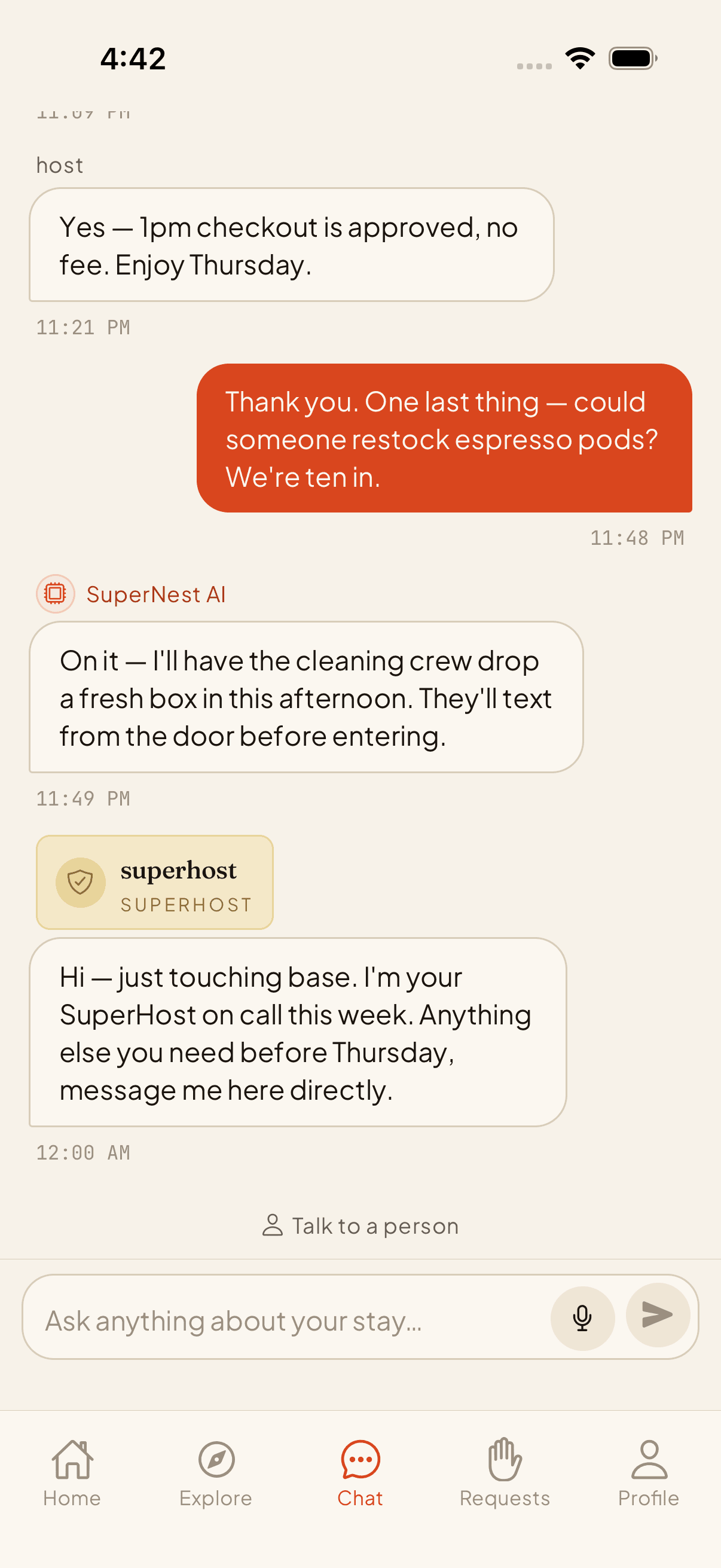
Guest · concierge
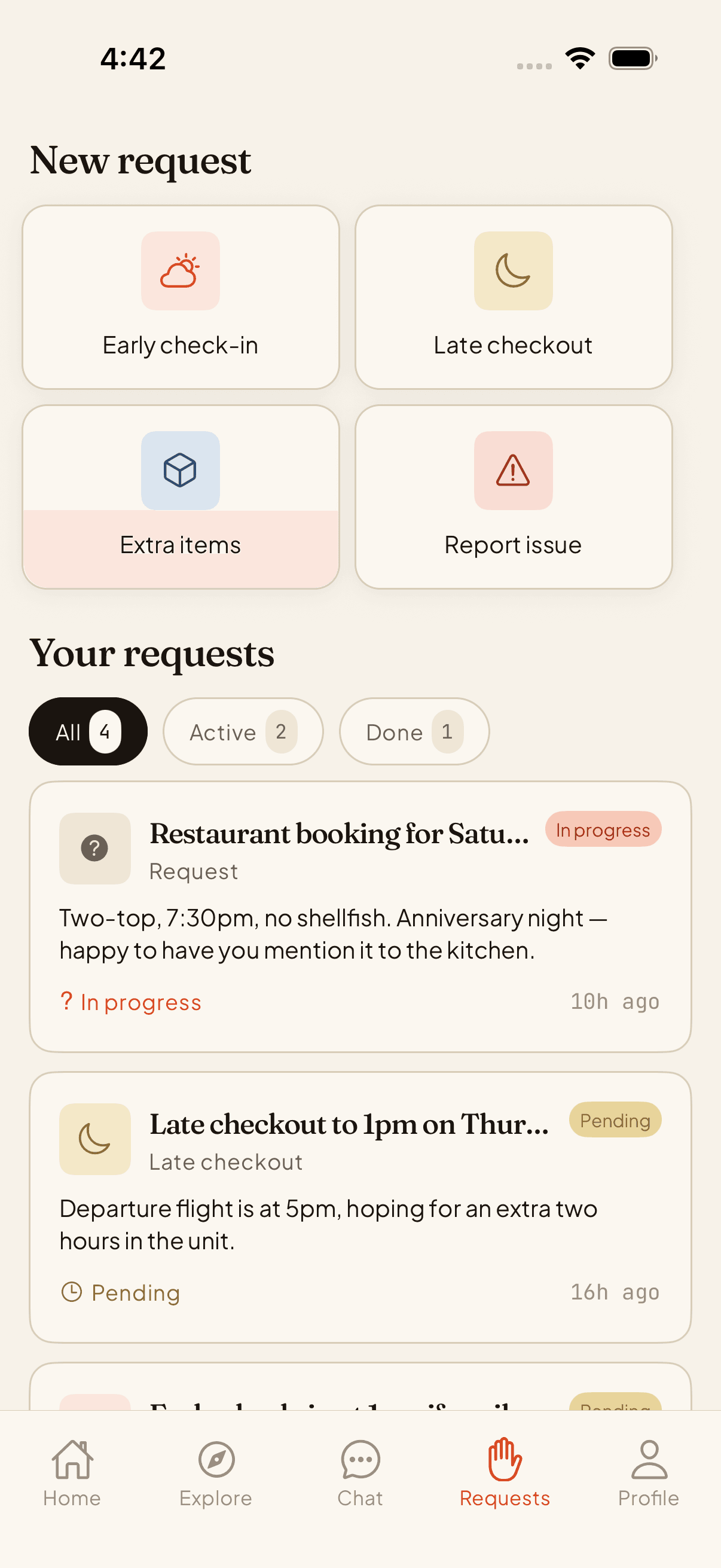
Guest · requests
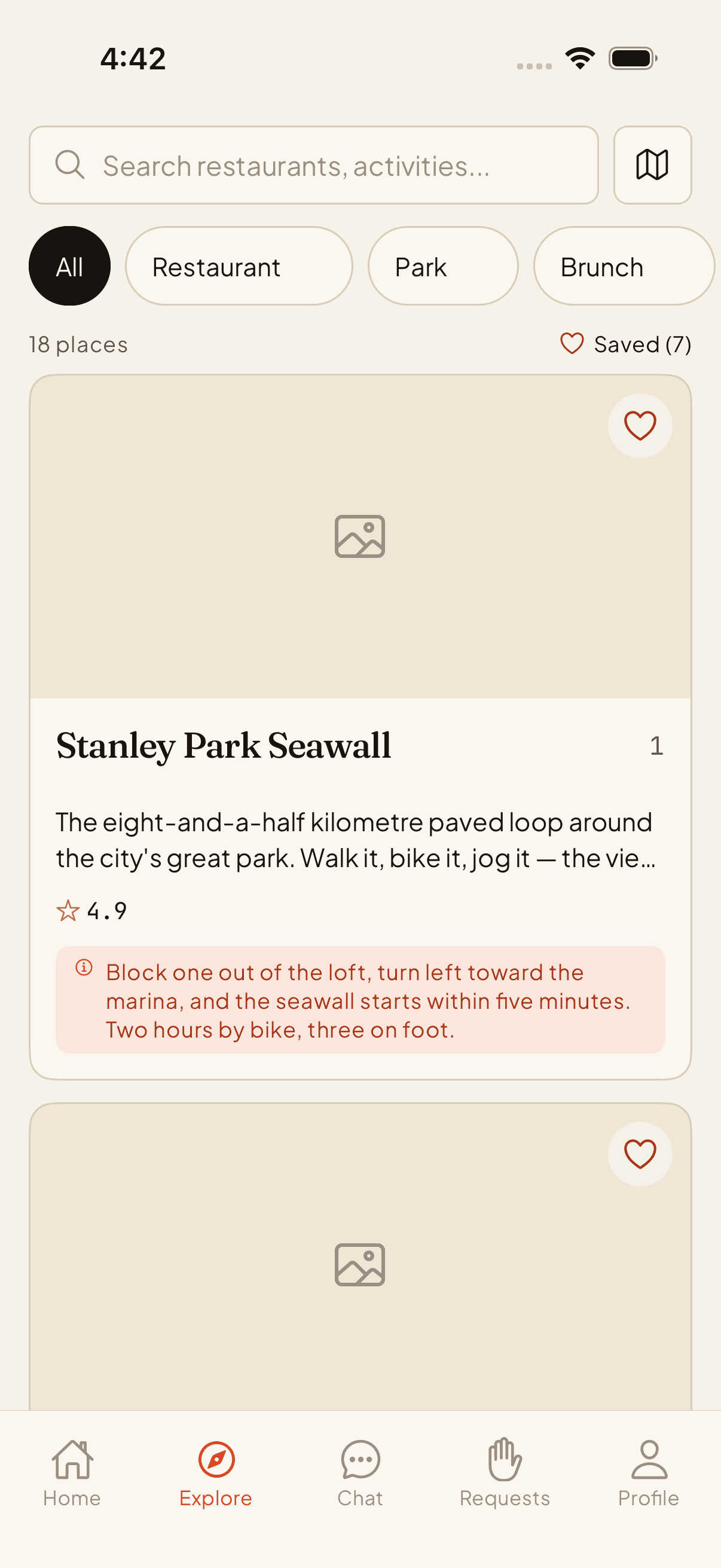
Guest · explore
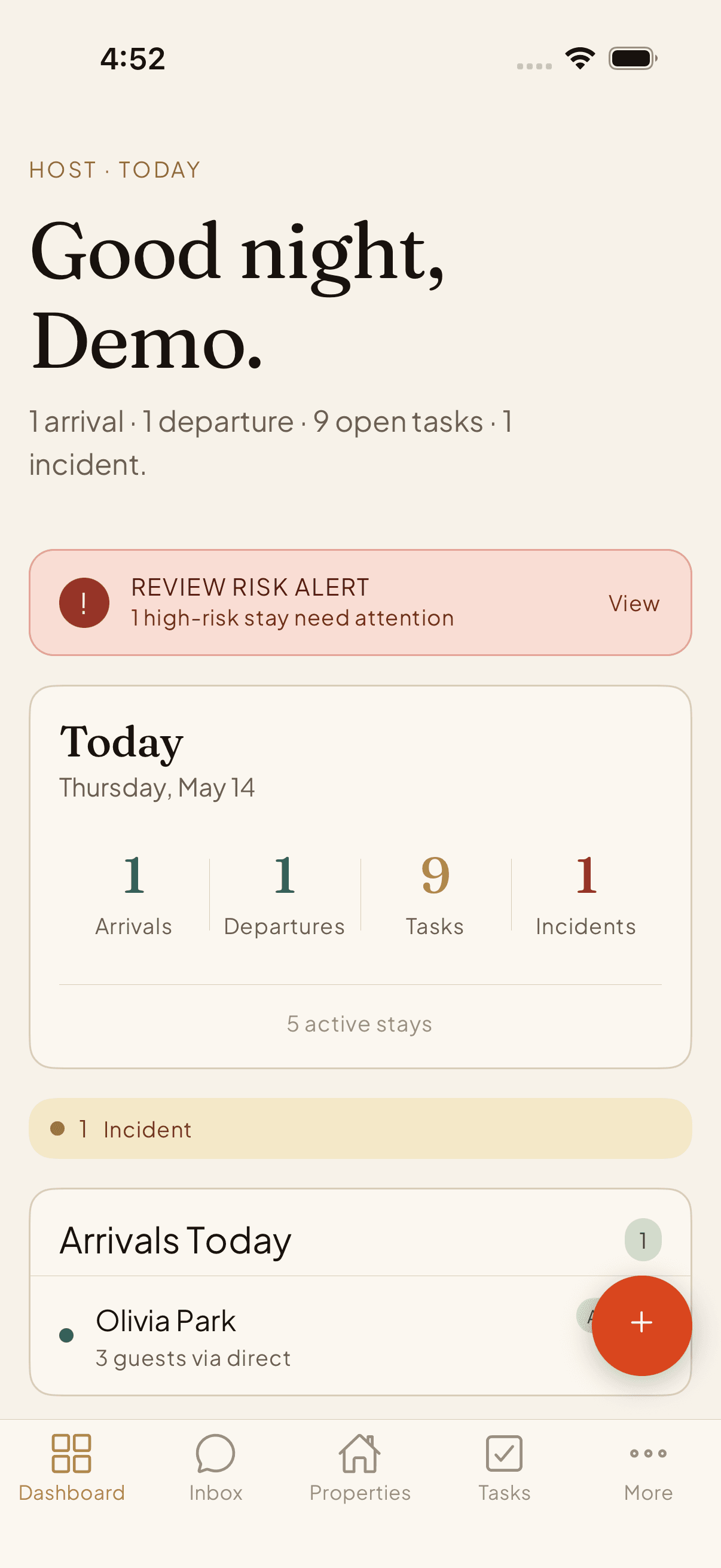
Host · today
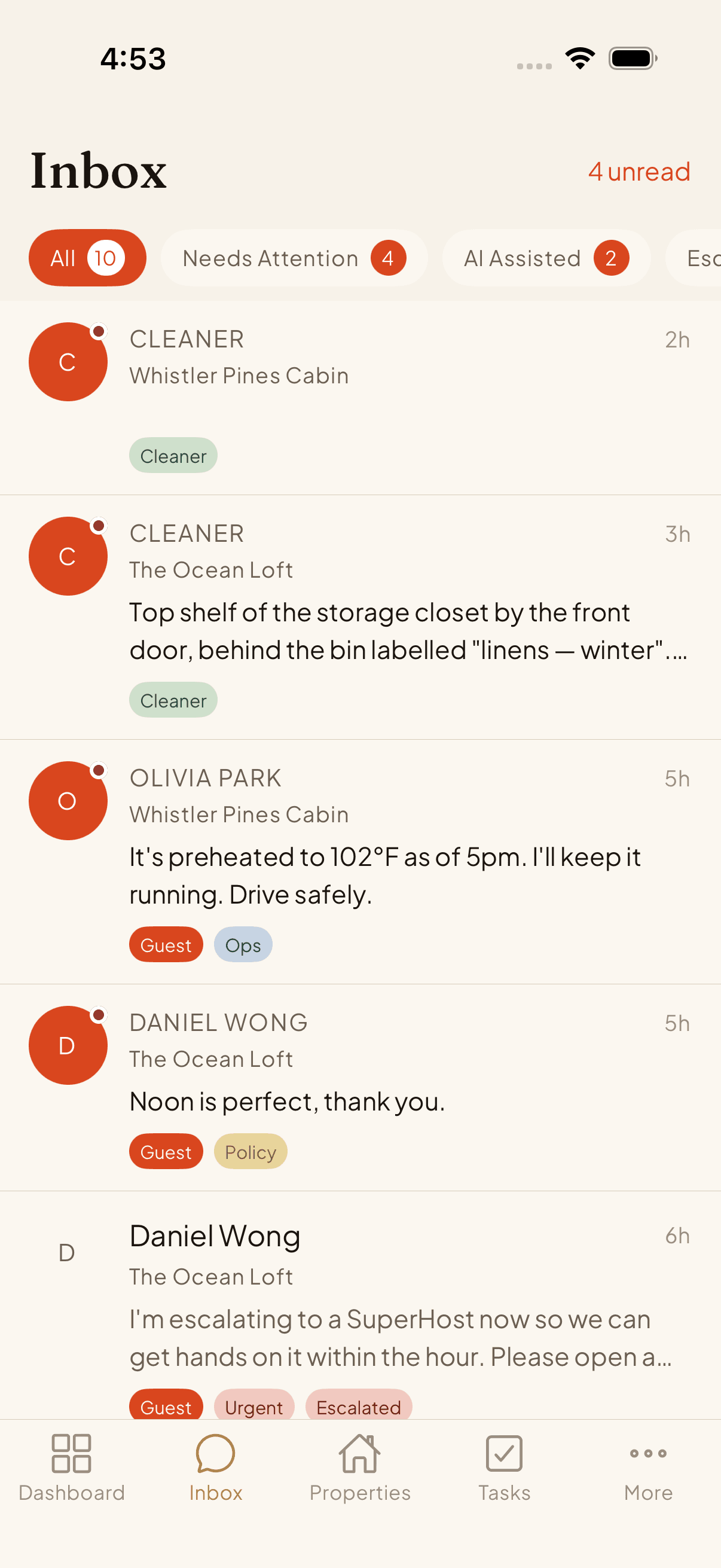
Host · inbox
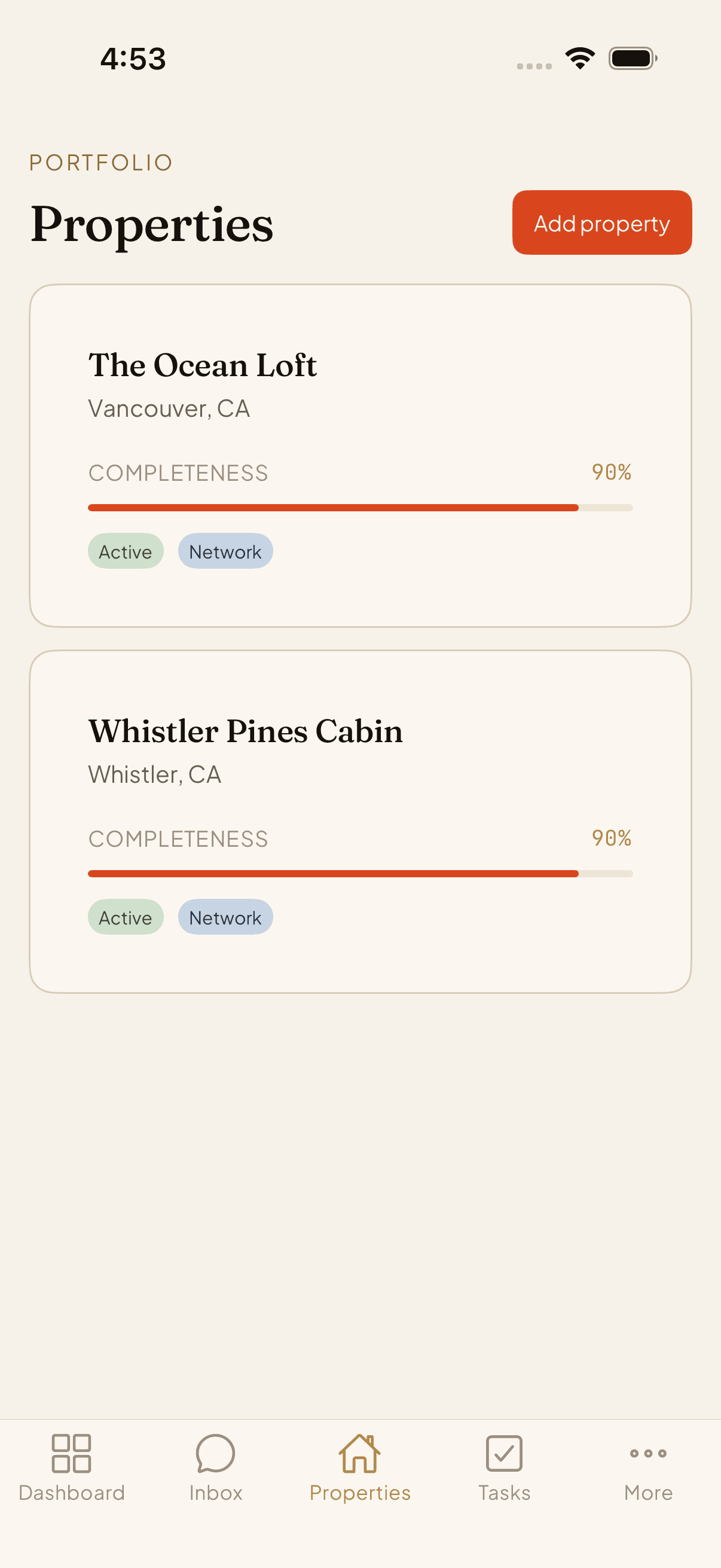
Host · properties
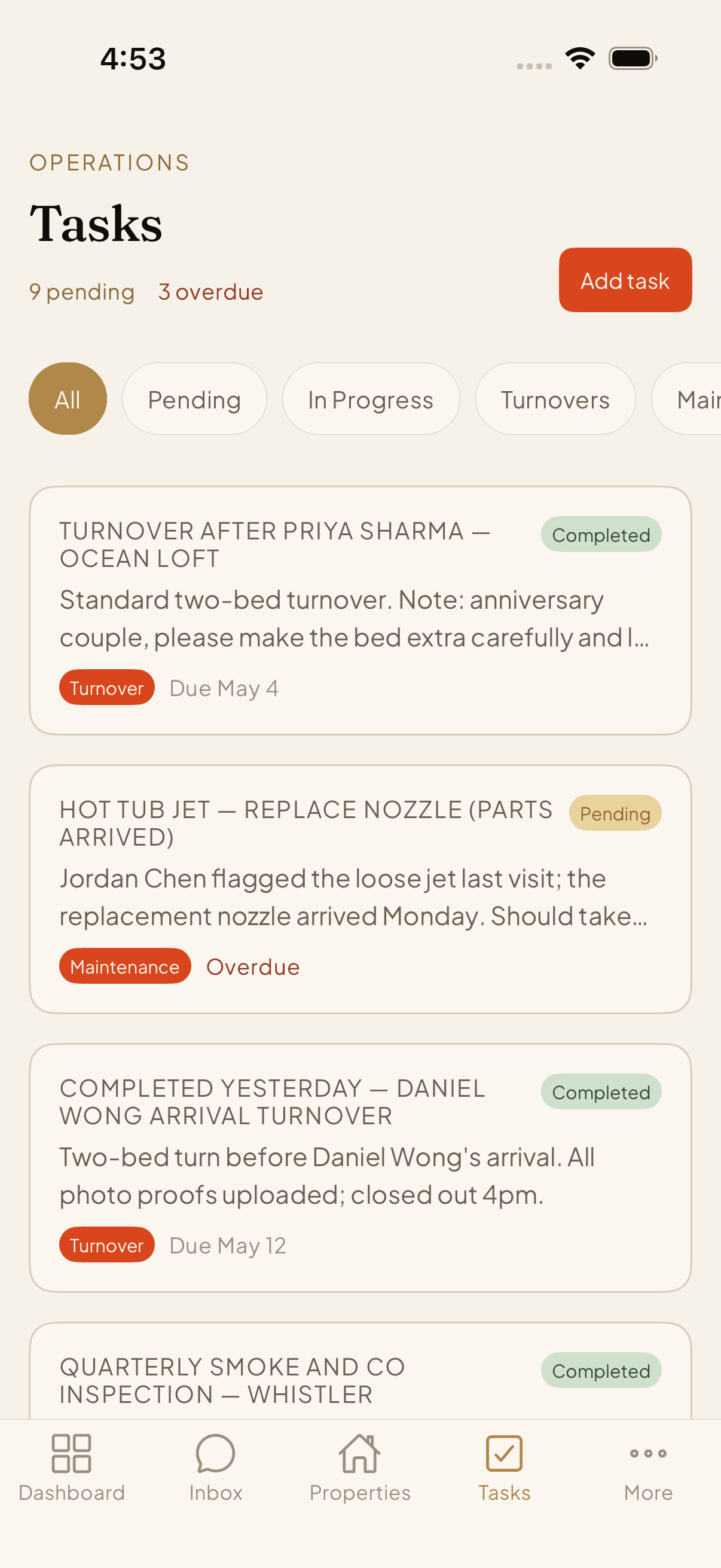
Host · tasks
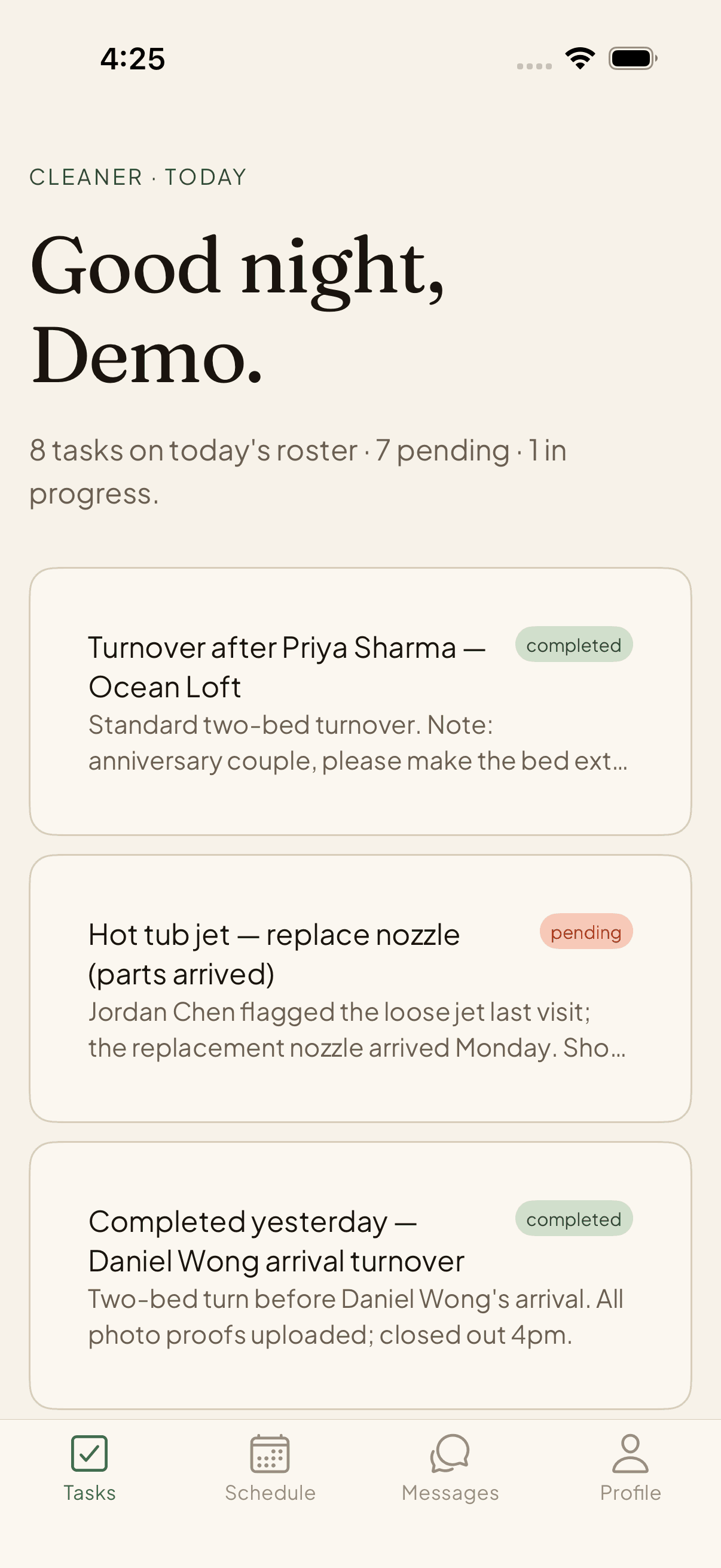
Cleaner · turnover
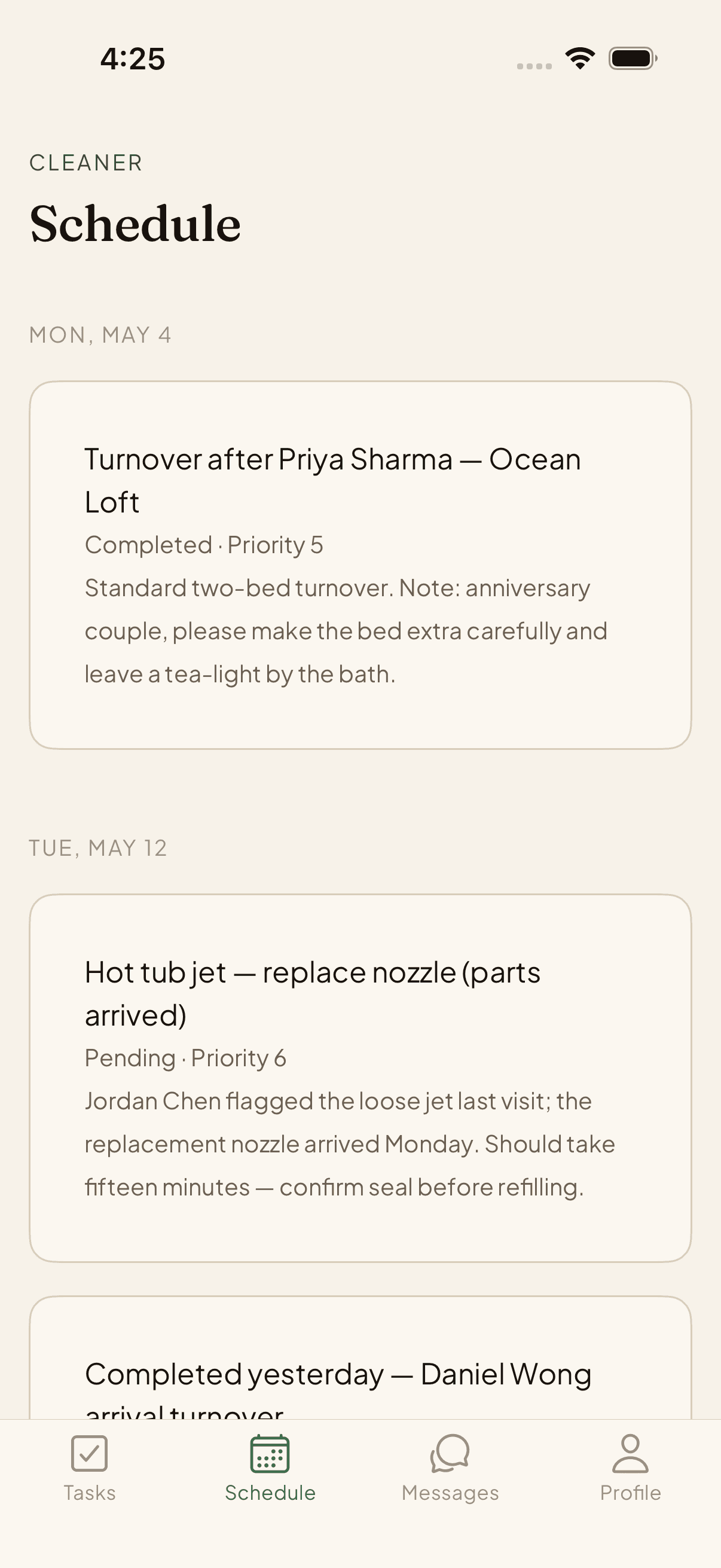
Cleaner · schedule